
Stop Memorizing C Syntax. Start Understanding What the Program Is Doing.
When beginners start learning C, one problem appears very quickly.
They see code like this:
#include <stdio.h>

int main(void)
{
printf("Hello World");
return 0;
}
and are often told to remember this structure.
Then another program introduces:
int age;
scanf("%d", &age);
Then another introduces:
if (age >= 18)Then functions, arrays, pointers and structures bring even more syntax.
After some time, students can write code that looks like C, but they may still not understand what each part is actually doing.
That is the real barrier.
Learning C should not be about memorising:
“This line always goes here because that is the syntax.”
Instead, you should understand:
What is this line asking the computer to do? Why is it needed? What does the computer have after this line executes?
Once that becomes clear, C becomes much easier to learn.
This part of the C Master Series is about building that understanding.
What Is a C Program?
A C program is simply a set of instructions written in the C programming language.
You normally write these instructions in a source file such as:
program.cThe .c file contains source code — code written for humans to read and for a C implementation to translate into something the computer can execute.
For example:
#include <stdio.h>

int main(void)
{
printf("Hello World");
return 0;
}
This is source code.
It is not yet the final executable program that the operating system runs.
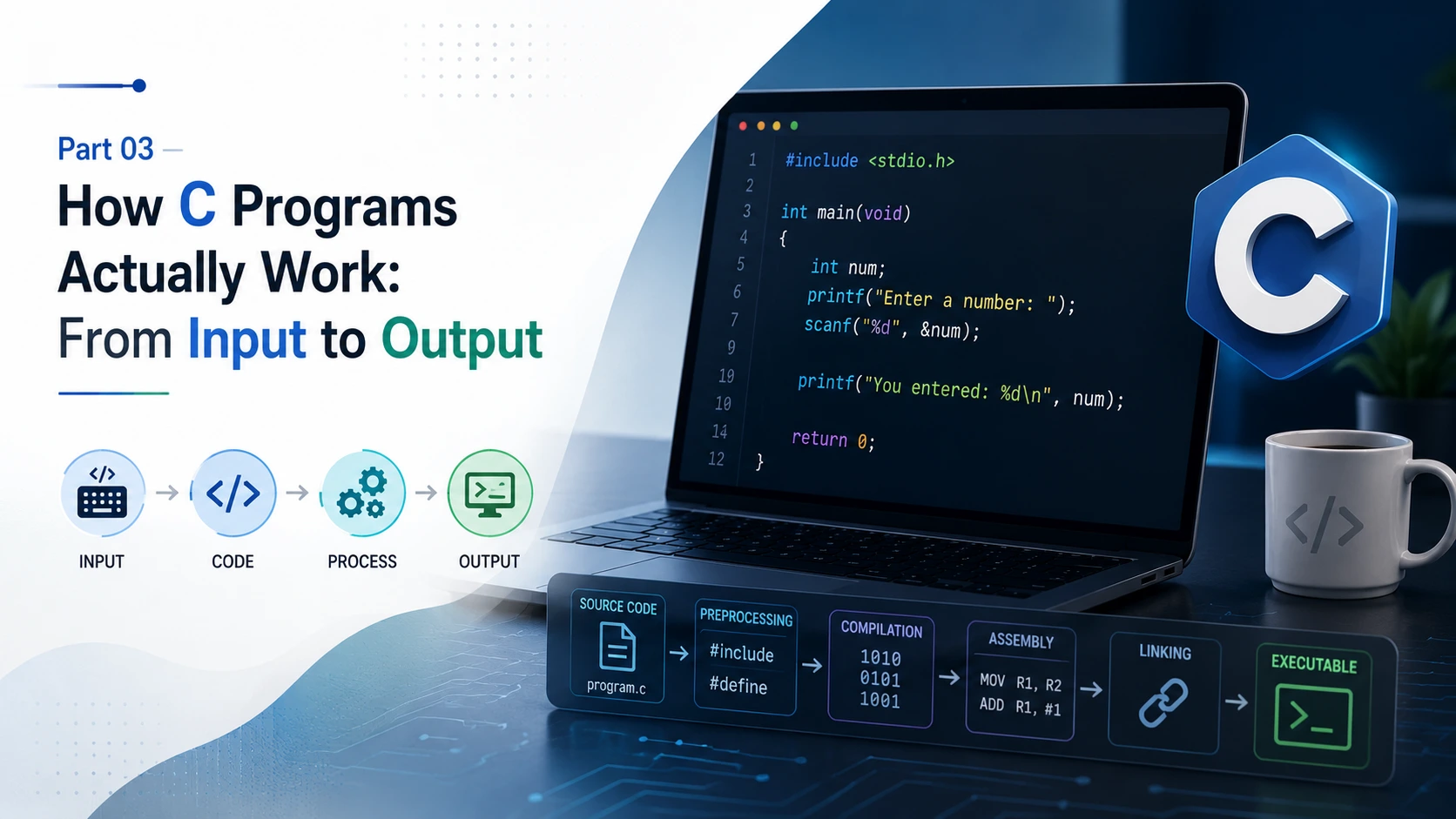
A typical C development process can be understood as:
C source code
↓
Preprocessing
↓
Compilation
↓
Assembly
↓
Linking
↓
Executable program
Different compilers can organize these stages differently internally, but this model is useful for understanding what happens to a C program.
The Basic Structure of a C Program
There is no single rigid structure that every C program must follow.
A real C project can contain:
- preprocessing directives
- macros
- type definitions
- global declarations
- function prototypes
- main()
- other functions
- multiple .c files
- multiple header files
But a small beginner program often looks like this:
#include <stdio.h>

int main(void)
{
printf("Hello World\n");

return 0;
}
Let's understand every part instead of memorising it.
#include <stdio.h>
The first line is:
#include <stdio.h>This is a preprocessor directive.
The # tells the C preprocessing stage that this line is a directive for the preprocessor.
stdio.h is a standard header file.
The name stands for:
standard input/outputIt provides declarations related to standard input and output facilities, including functions such as printf() and scanf().
For example:
printf()
scanf()
are commonly used through <stdio.h>.
Header file vs library
These two ideas are related, but they are not the same thing.
A header generally provides the interface and declarations that tell the compiler how functions, types or other facilities are described.
The corresponding library implementation provides the functionality that the program ultimately uses.
So it is better to think of it like this:
Header
↓
"What is available and how do I use it?"

Library / implementation
↓
"Here is the actual functionality."
You will understand this distinction more deeply as you learn compilation and linking.
Other common standard headers include:
#include <string.h>
#include <stdlib.h>
#include <math.h>
#include <time.h>
The important thing for now is:
#include gives your program access to declarations and interfaces it needs from a header.
It does not mean that the entire library is simply copied into your program as ordinary source code.
main() — Where a Normal C Program Starts
Now look at:
int main(void)For a normal hosted C program, main is the program's entry point.
When the operating system starts the executable, the C runtime eventually invokes main().
But notice something important:
int main(void)is not simply a magical sentence that you have to memorise.
It contains information.
What Does int Mean?
int is an integer type.
In:
int main(void)the int before main tells us that the function returns an integer value.
That value can communicate a termination status to the environment that started the program.
For example:
return 0;normally indicates successful termination.
What Does void Mean Here?
In:
int main(void)the void inside the parentheses explicitly means:
This function takes no parameters.
That is different from:
void someFunction(void)where the first void means the function returns no value.
So void can have different roles depending on where it appears.
Compare:
void display(void);Here:
- first void → returns no value
- second void → takes no parameters
In:
int main(void)the first part says:
- int → returns an integer
and the parameter list says:
- void → takes no parameters
This is exactly why understanding syntax is better than memorising it.
The Curly Braces { }
After main(void) we have:
{
...
}
These curly braces define the function body.
Everything between them belongs to that function.
For example:
int main(void)
{
printf("Hello World\n");
return 0;
}
The instructions inside { } are the statements executed as part of main.
You will see curly braces repeatedly in C:
if (...)
{
...
}
for (...)
{
...
}while (...)
{
...
}and when defining functions:
int add(int a, int b)
{
return a + b;
}
So { } are not decoration.
They define a block of code.
printf() — Asking the Program to Produce Output
Consider:
printf("Hello World\n");printf() is a function used to produce formatted output.
The text:
"Hello World\n"is passed to the function.
The parentheses:
()indicate that we are calling a function.
So:
printf(...)means:
Call the printf function with these arguments.
This is different from merely writing the function's name.
Why Is There a \n?
You may see:
printf("Hello World\n");The \n represents a newline escape sequence.
It tells the output system to move to the next line.
For example:
printf("Hello");
printf("World");
can produce:
HelloWorldwhile:
printf("Hello\n");
printf("World");
produces:
Hello
World
And an important beginner point:
\n is not mandatory for printf() to work.
This is completely valid:
printf("Hello World");The program will print the text.
\n is used when you want the next output to begin on a new line.
return 0;
At the end of main() you often see:
return 0;This returns the value 0 from main.
In a normal hosted C program, returning zero conventionally communicates successful termination.
Also, in modern C standards, reaching the closing } of main is equivalent to returning zero, so this:
int main(void)
{
printf("Hello World\n");
}
is valid.
Still, writing:
return 0;can be useful for beginners because it makes the return status explicit.
The Semicolon ;
Look at:
printf("Hello World\n");
return 0;
Both end with semicolons.
A semicolon terminates many C statements.
For example:
int age;
age = 20;
printf("%d", age);
But do not think:
“Every line of C needs a semicolon.”
That is not correct.
For example:
if (age >= 18)
{
printf("Adult");
}
The if itself does not end with a semicolon.
Similarly, function definitions do not end with a semicolon after the closing brace:
int add(int a, int b)
{
return a + b;
}
Understanding what constitutes a statement is more useful than memorising where semicolons visually appear.
Variables — How Does C Store a Value?
Now we reach one of the most important ideas in programming.
Suppose we write:
int age;What actually happened?
We declared a variable named age whose type is int.
Conceptually:
Variable name: age
Type: int
The program now has an object that can hold a value of integer type during its lifetime.
But there is an important detail.
If you write:
int age;inside a function and do not initialize it, its value is indeterminate. You should not assume it starts at zero.
For example:
int age;
printf("%d", age);
is not a correct way to obtain a meaningful age.
Instead, give it a value:
int age = 20;This is initialization.
Declaration, Initialization and Assignment
These three ideas are easy to mix up.
Declaration
int age;You are declaring:
There is an integer object called age.
Initialization
int age = 20;You declare the variable and give it its initial value at the same time.
Assignment
age = 20;Here the variable already exists, and you assign a value to it.
Think:
Declaration
↓
Create/declare the object

Initialization
↓
Give it an initial value

Assignment
↓
Give an existing object a value
This distinction becomes extremely important later.
What Does a Variable Really Mean?
A variable is not just a name written in your code.
It represents an object in the program's execution environment that has:
- a type
- a value
- a storage location
- a lifetime
- a scope
For example:
int age = 20;conceptually means:
Name → age
Type → int
Value → 20
Storage → some location managed by the program/system
You do not normally need to know the physical RAM address at this stage.
Also remember:
A variable's name is how your source code refers to that object.
This is why:
ageand:
age()are not the same thing.
Variable vs Function — A Very Important Difference
Consider:
int age;Here age is a variable.
But:
int age(void)
{
...
}
Here age is a function.
The parentheses are a major clue.
age
↓
variable/object name

age()
↓
function call / function-related syntax
This distinction is important because beginners sometimes think a function called age() is the same thing as an age variable.
It is not.
And only a function named main serves as the normal entry point of a hosted C program.
So:
int age(void)does not mean that age is the main function.
Data Types — Why Does C Need Them?
C needs to know what kind of value an object is intended to hold.
For example:
int age = 20;uses int because age is an integer.
Some common C types are:
int
char
float
double
Very roughly:
| Type | Typical use |
|---|---|
| int | Integer values |
| char | Character-sized values |
| float | Single-precision floating-point values |
| double | Double-precision floating-point values |
The exact size and representation of types are defined by the C implementation and platform rules, so do not think of these types as having one universal byte size on every machine.
The type matters because it affects how the program interprets and operates on the stored value.
Input and Output — Making the Program Interactive
Until now, we have mostly made the computer print something.
But real programs need to receive information too.
C commonly uses:
printf()for output and:
scanf()for formatted input.
For example:
int age;

printf("Enter your age: ");
scanf("%d", &age);
The flow is:
User enters a value
↓
scanf()
↓
value is stored in age
Then:
printf("Your age is %d\n", age);does:
age
↓
stored value
↓
printf()
↓
screen
This is one of the most important ideas to understand in C.
Why Is %d Used?
In:
scanf("%d", &age);%d is a format specifier.
It tells scanf() that the input should be interpreted as a decimal integer.
Later:
printf("Your age is %d\n", age);uses %d to tell printf() how to format the corresponding integer argument.
So %d is not the variable and it is not the value.
It describes how the function should interpret or format the corresponding argument.
Why Is &age Used with scanf()?
This is another point beginners often memorise without understanding.
We write:
scanf("%d", &age);Why not:
scanf("%d", age);Because scanf() needs to know where it should store the input value.
The & operator obtains the address of the object age.
Conceptually:
age
↓
memory location of age
↓
&age
↓
scanf() knows where to store the input
So when the user enters:
20scanf() can place that value into the age object.
A detailed understanding of pointers and addresses comes later. For now, remember:
&age gives scanf() the address of the age object so it can store the input there.
This is one of the first places where C exposes you to the relationship between variables, storage and memory.
= and == Are Not the Same
This is one of the most common beginner mistakes.
=
Assignment:
age = 20;means:
Put the value 20 into age.
==
Equality comparison:
age == 20means:
Is the value of age equal to 20?
For example:
if (age == 20)
{
printf("Your age is 20\n");
}
The program is asking a question.
So:
= → assignment
== → comparison
Do not treat them as interchangeable.
Functions — A Program Is Not Just main()
A common beginner assumption is:
“The whole C program is inside main().”
That is not true.
main() is the entry point of a normal hosted C program, but larger programs can contain many functions.
For example:
int add(int a, int b)
{
return a + b;
}

int main(void)
{
int result;

result = add(10, 20);

printf("%d\n", result);

return 0;
}
Here the program has two functions:
add()
main()
Execution starts through main(), and main() calls add().
This is how larger C programs are structured: different functions handle different responsibilities.
Function Prototype vs Function Definition
You may also see something like:
int add(int a, int b);This is a function declaration/prototype.
It tells the compiler about the function's interface.
The actual definition contains the body:
int add(int a, int b)
{
return a + b;
}
So:
Prototype
↓
What function exists and how it is called

Definition
↓
What the function actually does
In larger programs, declarations are often placed in header files and definitions in source files.
This becomes especially important when you work with multiple .c and .h files.
Now Let's Actually Prove That a Variable Stores Data
Understanding this is more important than simply knowing the syntax.
Let's build a small program.
The user will:
- Enter their age.
- The program will store it in age.
- The program will tell the user that the age has been stored.
- The program will ask what they want to know.
- The user can select option 1.
- The program will retrieve the value stored in age.
- The program will display it.
#include <stdio.h>

int main(void)
{
int age;
int question;

printf("Enter your age: ");
scanf("%d", &age);

printf("Your age has been stored.\n");

printf("What do you want to know?\n");
printf("1. What is my age?\n");
printf("Enter 1 to know your age: ");
scanf("%d", &question);

if (question == 1)
{
printf("Your age is %d\n", age);
}

return 0;
}
Suppose the user enters:
Enter your age: 20At this point:
scanf("%d", &age);has received the input and stored it in age.
Conceptually:
User
│
│ 20
▼
scanf()
│
▼
age
│
│ stores 20
▼
[ age = 20 ]
The program then continues.
Later, the user enters:
1Now this condition is checked:
if (question == 1)Because question contains 1, the condition is true.
Then:
printf("Your age is %d\n", age);uses the value currently stored in age.
The result:
Enter your age: 20
Your age has been stored.

What do you want to know?
1. What is my age?
Enter 1 to know your age: 1

Your age is 20
What Just Happened Inside the Program?
This small program demonstrates a surprisingly important programming concept.
The complete flow is:
USER INPUT
↓
scanf()
↓
VALUE STORED IN VARIABLE
↓
PROGRAM CONTINUES
↓
USER MAKES A REQUEST
↓
PROGRAM CHECKS THE REQUEST
↓
PROGRAM READS THE STORED VARIABLE
↓
printf()
↓
OUTPUT
The important part is that the program did not ask the user for their age again.
The value was already stored in:
ageand the program accessed that existing value later.
That is the basic idea behind storing and retrieving information in a program.
Why This Matters
This is where programming becomes different from simply writing commands.
When you write:
int age;you are creating a named object that the program can work with.
When you write:
scanf("%d", &age);you are giving that object a value from user input.
When you later write:
printf("%d", age);you are reading that value and using it.
The same basic idea appears everywhere in programming:
Input
↓
Store
↓
Process
↓
Retrieve
↓
Output
A much larger application is still built from these fundamental operations, just with far more data, logic and structure.
Understanding Storage Before Learning Pointers
At this stage, you do not need to become an expert in pointers.
But you should already understand one important relationship:
Variable
↓
represents an object
↓
object has a type
↓
object has a value
↓
object occupies storage during its lifetime
For example:
int age = 20;Conceptually:
Name: age
Type: int
Value: 20
Storage: some location associated with the object
The & operator lets you obtain the address of that object:
&agePointers will later build directly on this idea.
For now, the important thing is to understand why &age exists rather than memorising that scanf() simply requires an ampersand.
Scope and Lifetime — A First Introduction
Consider:
int main(void)
{
int age = 20;

printf("%d\n", age);

return 0;
}
The variable age is declared inside main, so its scope is limited to that block.
You cannot simply use age from an unrelated function:
int main(void)
{
int age = 20;
}

void showAge(void)
{
printf("%d\n", age); // age is not visible here
}
The details of storage duration, lifetime and scope become much more important when you learn functions, pointers, arrays and dynamic memory.
But even now, the basic idea is useful:
A variable is not automatically visible everywhere in a program.
sizeof — Asking C About Storage
C also provides the sizeof operator.
For example:
int age = 20;

printf("%zu\n", sizeof(age));
This asks for the size, in bytes, of the type of the object age.
The exact result depends on the C implementation and platform.
This is another reason not to memorise assumptions such as:
“An int is always exactly 4 bytes.”
On many modern systems it is 4 bytes, but the C language does not make that universal guarantee.
Later, sizeof becomes extremely useful when working with arrays, structures, memory and pointers.
Common Beginner Mistakes
Understanding the concepts also makes common errors easier to diagnose.
Mistake 1: Thinking age() is a variable
int age(void)This defines a function named age.
It is not an integer variable.
A variable would look like:
int age;Mistake 2: Using an uninitialized variable
int age;

printf("%d", age);
The local variable has an indeterminate value.
You must initialize it or assign/read a meaningful value before using it.
Mistake 3: Confusing = and ==
Wrong:
if (age = 20)This performs assignment rather than an equality comparison.
For comparison:
if (age == 20)Mistake 4: Forgetting & in scanf()
For an integer variable:
scanf("%d", &age);The address is required so scanf() knows where to store the input.
Mistake 5: Thinking \n is mandatory
This works:
printf("Hello World");This also works:
printf("Hello World\n");The second version additionally moves the output position to a new line.
Mistake 6: Thinking main() is the entire program
main() is the normal entry point of a hosted C program.
A real C project can contain many other functions and source files.
Mistake 7: Thinking #include is the library itself
#include <stdio.h>includes a header.
The header provides declarations and interfaces; the actual library implementation is a separate part of the toolchain/runtime environment.
From Syntax Memorization to Mental Models
Instead of memorising this:
int age;
scanf("%d", &age);
printf("%d", age);
understand the process:
int age;
↓
Declare an integer object named age

scanf("%d", &age);
↓
Read an integer and store it in age

printf("%d", age);
↓
Read the current value of age and display it
That difference in thinking matters.
If you understand what each line means, you can create new programs.
If you only memorise the lines, you may know how to reproduce one example but become stuck as soon as the problem changes.
The Bigger Picture
A C program is not a collection of magical lines that must be copied exactly.
It is a structured set of instructions.
You declare data:
int age;You receive data:
scanf("%d", &age);You store and work with data:
age = age + 1;You make decisions:
if (age >= 18)You repeat operations:
for (...)You organize logic into functions:
int add(int a, int b)You eventually work directly with memory:
&ageand later with pointers, arrays, structures, files and dynamic memory.
The syntax is simply the language used to express these operations.
What You Should Understand Before Moving Forward
By the end of this part, you should be able to look at:
#include <stdio.h>

int main(void)
{
int age;

printf("Enter your age: ");
scanf("%d", &age);

printf("Your age is %d\n", age);

return 0;
}
and explain what each important part is doing.
You should understand that:
- #include is a preprocessor directive.
- <stdio.h> is a standard header.
- main() is the normal entry point of a hosted C program.
- int describes an integer type and, before main, its return type.
- void in main(void) means no parameters.
- { } define a block/function body.
- printf() produces formatted output.
- scanf() reads formatted input.
- %d is a format specifier for an integer.
- &age gives scanf() the address where the input should be stored.
- age is a variable name referring to an integer object.
- = assigns a value.
- == compares values.
- \n represents a newline.
- ; terminates many C statements.
- return 0; communicates successful termination from main.
- A variable has a type, value, storage, scope and lifetime.
- main() is not the entire program.
- A C project can contain many functions and source files.
- C source code goes through translation stages before becoming an executable program.
- Most importantly, you should understand what the code is doing instead of memorising its shape.
That understanding becomes the foundation for everything that follows in C.
In the next parts, the focus can move from understanding the structure of a C program to actually using that structure to work with data, logic, repetition, functions and eventually real projects.
Explore • Research • Learn • Build • Share.
Comments
C provides two common forms of comments.
Single-line:
Multi-line:
Comments are ignored as executable instructions.
They are for humans — for explaining code, leaving notes, documenting decisions or temporarily disabling code during development.