
Understanding how C represents, stores and works with data
A C program does not only execute instructions. It also creates, stores, processes and converts data.
Consider this simple statement:
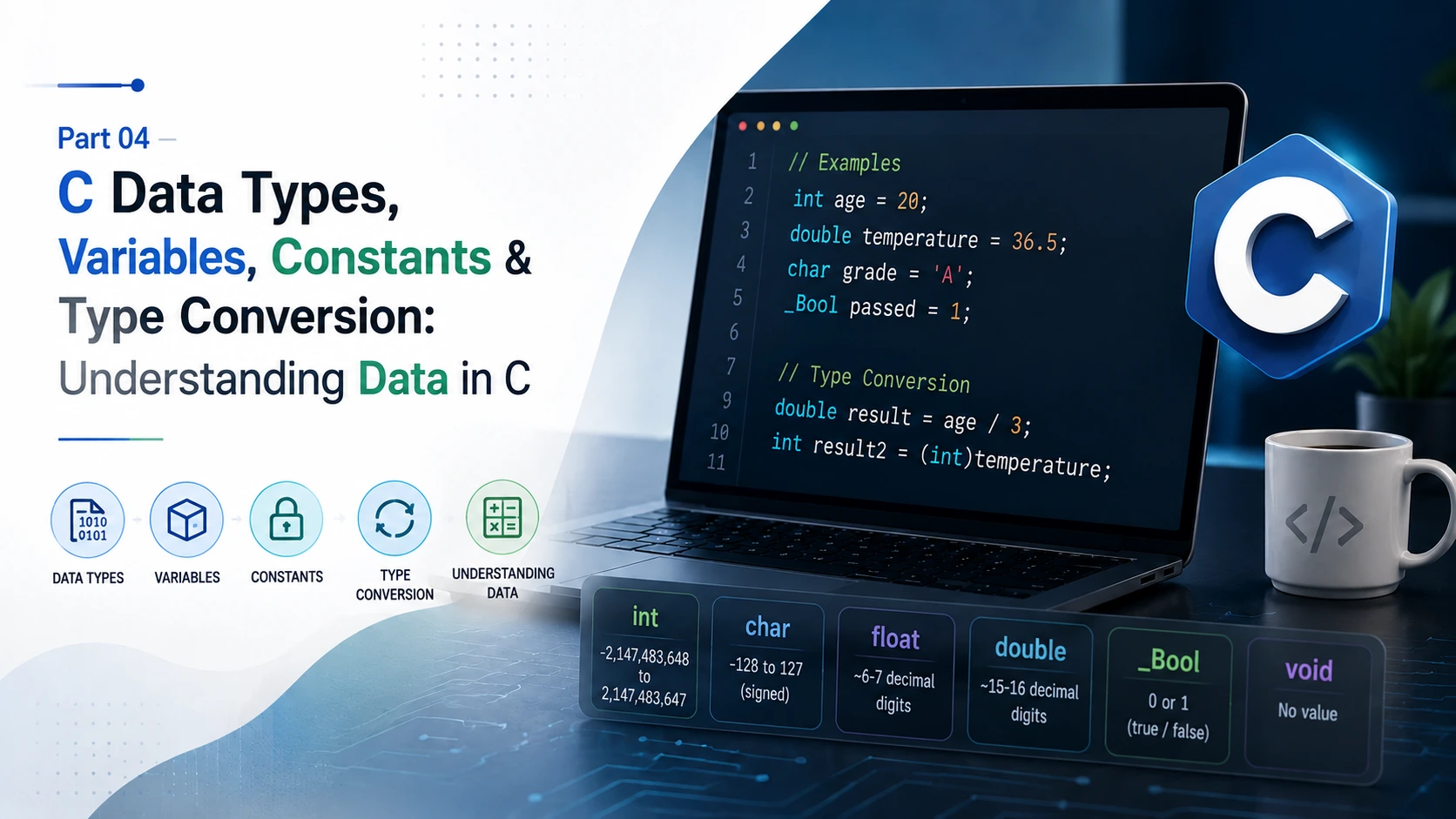
int age = 20;There is much more happening here than simply “storing 20”.
int tells C what kind of data is involved. age is the identifier used to refer to the object. 20 is the initial value. The object has storage associated with it, and its type affects how that value can be represented, processed and converted.
The same ideas appear everywhere in C:
double temperature = 36.5;
char grade = 'A';
_Bool passed = 1;
Understanding these concepts properly is important because later topics such as arrays, pointers, structures, dynamic memory and file handling all depend on them.
This part focuses on the data system underneath C programs rather than treating data types as a simple list to memorise.
Understanding Data, Values and Objects
In programming, data is information that a program can store, process, compare or use to produce a result.
Examples include:
20
-15
3.14
'A'
The meaning of that data depends on how it is represented and used.
A value is the data represented by an object at a particular point during program execution.
For example:
int age = 20;Here, 20 is the initial value represented by the age object.
If the program later executes:
age = 21;the value represented by that object changes.
This is different from the type.
The value answers:
What data is represented?
The type answers:
What kind of data is this, and what rules apply to it?
That distinction becomes increasingly important as programs become more complex.
What Is an Object?
In C terminology, an object is a region of data storage whose contents can represent a value.
For example:
int age = 20;A useful way to understand this is:
age  → identifier
int  → type
20   → value
The identifier age refers to an object. The object has a type and represents a value during execution.
In normal programming language, we usually call age a variable. Technically, however, the identifier is not itself the object; it is a name used to refer to it.
This distinction becomes useful later when working with addresses, pointers, arrays and other memory-related concepts.
Storage Is an Implementation Detail
When we write:
int age = 20;C does not create a new physical piece of RAM.
The computer already has a memory system, processor registers and other resources. During execution, the compiler and runtime environment arrange the storage and operations required by the program.
It is also not correct to imagine that every C object must always exist as a simple fixed box in physical RAM.
A compiler may keep a value in a processor register, optimise an object away when the language rules allow it, or use another implementation-specific representation.
The C language primarily defines the required behaviour of objects and values. The exact hardware-level implementation is a separate matter.
Object storage also depends on its storage duration.
C defines four storage-duration categories:
- automatic
- static
- thread
- allocated
For example:
int main(void)
{
    int age = 20;
}
The local age object has automatic storage duration.
A static object can be declared as:
static int count = 0;Its storage exists for the entire execution of the program.
Dynamically allocated storage is different:
int *p = malloc(sizeof *p);The allocated storage remains available until it is released appropriately.
It is common to associate automatic storage with a stack and allocated storage with a heap, but those are implementation models rather than complete rules of the C language.
Bits, Bytes and Representation
At the lowest level, digital systems work with bits.
A bit has two possible states:
0
1
With n bits, there are:
2ⁿpossible bit patterns.
So eight bits provide:
2⁸ = 256possible patterns.
A byte in C is the unit of storage used by sizeof(char). The number of bits in a C byte is given by CHAR_BIT from <limits.h>.
On most modern systems:
CHAR_BIT = 8but portable C code should not assume that every implementation has eight bits per byte.
You can check the current implementation:
#include <limits.h>
#include <stdio.h>

int main(void)
{
    printf("Bits per byte: %d\n", CHAR_BIT);
    return 0;
}
There is another important point: a bit pattern does not have a universal meaning by itself.
For example:
01000001is decimal 65 when interpreted as an appropriate unsigned integer representation.
Under ASCII, it also represents the character:
AThis does not mean that C universally requires ASCII. Character representation depends on the implementation's execution character set.
The broader lesson is more important:
Data representation and data meaning are related, but they are not the same thing.
A type tells the implementation how a particular kind of data is interpreted and used.
Why C Needs Data Types
Consider:
int a = 5;
int b = 2;
and:
double a = 5.0;
double b = 2.0;
Both examples contain values around five and two, but the operations performed on them are not necessarily the same.
With integers:
printf("%d\n", a / b);the result is:
2With floating-point values:
printf("%f\n", a / b);the result is approximately:
2.500000The operator / did not change.
The types of the operands changed.
Types therefore affect much more than storage size. They influence:
- what values can be represented
- how values are represented
- how expressions are evaluated
- what conversions take place
- how input is interpreted
- how output is formatted
- which operations are meaningful
- what assumptions the compiler can make
This is why understanding C's type system is more useful than simply memorising names such as int, float and double.
Integer Types
Integer types are used for whole-number values such as:
-20
0
25
1000
C provides several standard integer types:
char
short
int
long
long long
with signed and unsigned forms where applicable.
A typical declaration is:
int age = 20;An unsigned integer can be declared as:
unsigned int count = 100;The exact size of these types depends on the implementation.
A common modern environment may use:
char       → 1 byte
short      → 2 bytes
int        → 4 bytes
long       → 4 or 8 bytes
long long  → 8 bytes
but this is not a universal table for every C implementation.
If the program needs to know the actual size on the current system, sizeof is the correct tool.
Signed and Unsigned Integers
Signed integer types can represent negative and positive values.
For example:
int temperature = -10;Unsigned integer types represent non-negative values:
unsigned int students = 50;Unsigned types can be useful when a quantity is inherently non-negative, such as a count.
However, signed and unsigned types should not be treated as completely interchangeable.
When different integer types interact, C applies integer conversion rules to determine the types used in the operation.
For example:
int a = -1;
unsigned int b = 1;
An expression involving both values can produce results that are surprising if those conversion rules are ignored.
This is one reason why signed/unsigned behaviour deserves attention rather than being treated simply as “negative numbers versus positive numbers”.
Integer Division and Remainder
Integer division discards the fractional part of the result.
For example:
int total = 10;
int people = 3;

printf("%d\n", total / people);
The result is:
3The remainder can be obtained using %:
printf("%d\n", total % people);which gives:
1because:
10 = (3 × 3) + 1The remainder operator is useful for many programming tasks, including checking divisibility and working with repeating patterns.
For example, an even number has no remainder when divided by two:
number % 2The actual use of that result in conditions will be covered in the decision-making part of the series.
Character Data
C provides the char type for character-related data.
For example:
char grade = 'A';Other character constants include:
'B'
'7'
'?'
'@'
There is an important C-specific detail here:
An ordinary character constant such as 'A' has type int in C, not char.
So:
'A'is a character constant with an integer type.
But:
char grade = 'A';creates a char object capable of storing the corresponding character value.
This distinction is easy to miss because the syntax makes the two concepts look almost identical.
Character Representation
A character has to be represented using a character encoding.
A simplified model is:
Character
   ↓
Execution character set
   ↓
Character value
   ↓
Object representation
ASCII is a widely used character encoding.
For example, in ASCII:
'A' → 65
'B' → 66
'a' → 97
'0' → 48
This is why a character can also participate in certain integer operations.
However, portable C should not assume that every implementation uses ASCII. The C standard defines an execution character set, while the implementation determines the actual encoding.
5 and '5' Are Not the Same
These two expressions are different:
5and:
'5'The first represents the integer value five.
The second represents the character 5.
On an ASCII-based system:
5   → numeric value 5
'5' → character code 53
So if a program reads the character '5', it has not automatically received the integer value 5.
This distinction becomes particularly important when dealing with character input and conversion.
Floating-Point Types
C provides:
float
double
long double
for floating-point values.
Examples:
float temperature = 36.5f;
double price = 999.99;
Floating-point types are useful for values that may contain fractional parts, including measurements, scientific calculations, coordinates and many numerical applications.
However, floating-point arithmetic should not be treated as exact decimal arithmetic.
Floating-Point Precision
Consider:
double value = 0.1;It is tempting to assume that the computer stores the exact mathematical value 0.1.
In binary floating-point representation, many decimal fractions cannot be represented exactly.
The stored value is therefore often a close approximation.
This is why calculations such as:
0.1 + 0.2can produce a result that is not represented internally as exactly 0.3.
This is a property of finite-precision floating-point representation rather than a special defect in C.
Many modern systems use IEEE 754 floating-point formats, but C does not make one specific floating-point representation universal across every implementation.
Boolean Data
C provides the built-in integer type:
_BoolA Boolean value represents a logical state.
For example:
_Bool passed = 1;In C, zero represents false and a non-zero value represents true in logical contexts.
For C99 through C17, the standard header:
#include <stdbool.h>provides the convenient names:
bool
true
false
For example:
#include <stdbool.h>

bool passed = true;
In C23, bool, true and false became language keywords.
The important programming idea is simple: Boolean data represents whether a condition is true or false.
Variables: Declaration, Initialisation and Assignment
These three concepts are related but different.
A declaration:
int age;introduces an object named age with type int.
Initialisation gives the object its initial value:
int age = 20;Assignment changes the value later:
age = 21;So:
Declaration   → introduces the object
Initialisation → gives it its initial value
Assignment     → changes its value later
Keeping these concepts separate makes C code much easier to understand.
Uninitialised Local Variables
Consider:
int main(void)
{
    int age;

    printf("%d\n", age);
}
It is incorrect to assume that age automatically contains zero.
A local object with automatic storage duration that has not been initialised has an indeterminate value.
Reading such a value can lead to undefined behaviour depending on the situation.
If the program needs a known starting value, initialise it:
int age = 0;This is a simple habit that prevents a large class of problems.
Constants and Literals
A literal is a value written directly in source code.
Examples include:
20
3.14
'A'
"Hello"
These literals have their own types and rules.
For example:
20is an integer constant.
3.14is a floating constant.
'A'is an ordinary character constant with type int in C.
A string literal such as:
"Hello"is not a value of some built-in string type because C does not have a built-in string type. A string literal has array type.
These distinctions become important later when arrays, pointers and strings are studied in more depth.
const and #define
C provides several ways to represent values that should not normally change.
For example:
const int max_marks = 100;The const qualifier prevents modification through that const-qualified lvalue.
C also has preprocessor macros:
#define MAX_MARKS 100These are not the same mechanism.
A macro is handled by the preprocessor before compilation. A const object participates in C's type system.
For many ordinary typed constants, const provides clearer type information and normal C semantics, while macros remain useful for situations where preprocessor substitution is actually required.
sizeof and Data Size
The sizeof operator allows a program to inspect the size of a type or object.
For example:
int age = 20;

printf("%zu\n", sizeof(age));
You can also write:
sizeof(int)The result is measured in C bytes.
For example:
printf("%zu\n", sizeof(int));
printf("%zu\n", sizeof(double));
To understand the result correctly, remember the relationship:
sizeof
  ↓
number of C bytes
  ↓
CHAR_BIT
  ↓
bits in each byte
This is more accurate than assuming that sizeof directly means “number of eight-bit units” on every possible C implementation.
Type Conversion
C frequently needs to convert values between types.
For example:
int age = 20;
double value = age;
Here the integer value is converted to a floating-point value for the assignment.
This is an implicit conversion.
C also allows explicit casts:
double price = 99.75;
int amount = (int)price;
The expression:
(int)priceexplicitly requests conversion to int.
Conversions are a normal part of C programming, but they are not always lossless.
When Conversion Loses Information
Consider:
double price = 99.75;
int amount = (int)price;
The fractional part cannot be represented by the resulting integer value.
The result is:
99The .75 is lost.
Other conversions can also change the value or its range.
Examples include:
- floating point to integer
- larger integer type to smaller integer type
- signed to unsigned
- mixed-type arithmetic
- conversions involving character and integer types
Understanding conversion rules is therefore essential for writing predictable C code.
Expressions and Type Behaviour
C does not evaluate an expression by looking only at the operators.
The types of the operands matter.
Consider:
int a = 5;
int b = 2;

double result = a / b;
The division happens while both operands are integers.
So:
a / bproduces:
2and that result is then assigned to the double.
If floating-point division is intended:
double result = (double)a / b;Now the expression involves floating-point arithmetic and produces:
2.5This is an important principle:
The type of an expression can determine how an operator behaves.
Operators, Precedence and Associativity
Consider:
int result = 2 + 3 * 4;Multiplication has higher precedence than addition, so the result is:
14Parentheses can make the intended calculation explicit:
int result = (2 + 3) * 4;which produces:
20C defines precedence and associativity rules for operators.
You do not need to memorise every rule immediately. When an expression becomes difficult to read, parentheses can make the intended structure much clearer.
Input: Turning External Data into C Values
Consider:
int age;

scanf("%d", &age);
The user provides input through an input stream. scanf then interprets that input according to the supplied conversion specification and attempts to store the converted result in the destination object.
For example:
float temperature;

scanf("%f", &temperature);
and:
double price;

scanf("%lf", &price);
The format specifier must match the expected destination type.
Conceptually:
Input characters
      ↓
scanf format
      ↓
Interpretation
      ↓
Conversion
      ↓
Destination object
This is why input is more than simply “putting keyboard data into a variable”.
Why scanf Needs &age
Suppose:
int age;The expression:
agerefers to the value of the object.
The expression:
&ageproduces the address of that object.
scanf needs a destination where it can store the converted input.
So:
scanf("%d", &age);gives scanf the location of the object that should receive the result.
This is one of the first places where the concepts of objects, storage and addresses connect.
Pointers will build on this idea later in the series.
Input Can Fail
A program should not assume that every input operation succeeds.
For example:
int age;

if (scanf("%d", &age) == 1)
{
    printf("Valid integer received.\n");
}
else
{
    printf("Input was not a valid integer.\n");
}
scanf returns the number of input items successfully assigned.
If the input does not match the expected format, conversion can fail.
Real input handling may therefore need to consider:
- invalid input
- unexpected characters
- whitespace
- format mismatches
- repeated attempts
- leftover input
More robust text input techniques, including fgets, will be covered alongside strings and character processing later in the series.
Output and Formatting
Output also depends on the type of data being displayed.
For an integer:
int age = 20;

printf("Age: %d\n", age);
For a floating-point value:
double price = 99.50;

printf("Price: %.2f\n", price);
The format specification controls how the value is converted into text for output.
The important distinction is:
Object value
    ↓
printf
    ↓
Format specification
    ↓
Text representation
    ↓
Screen
The text displayed to the user is therefore not simply a direct copy of the object's internal representation.
Following Data Through a Real C Program
Consider:
#include <stdio.h>

int main(void)
{
    int age;

    printf("Enter your age: ");
    scanf("%d", &age);

    printf("Your age is %d\n", age);

    return 0;
}
Suppose the user enters:
20The input arrives through the input stream as characters.
scanf uses %d to interpret the input as an integer conversion.
If the conversion succeeds, the resulting integer value is stored in the object age.
The program then passes age to printf.
printf uses %d to format the integer value as output text.
The user finally sees:
Your age is 20The important part is not memorising this as a sequence of arrows. It is understanding the individual operations involved:
external input → interpretation → conversion → object → value → processing → formatted output
That same pattern appears throughout real C programs.
C Does Not Treat Every Representation the Same Way
It is common to hear:
“Everything inside a computer is binary.”
That statement is useful at a very basic level, but it is not enough to understand C.
C works with objects, object representations and types.
An integer object, floating-point object, character object, pointer object, array and structure do not all have the same semantics.
The type provides the rules under which the stored representation is interpreted.
This is why the statement:
“It is all just binary”
does not explain how a C program actually works.
The more useful model is:
Object
→ Type
→ Representation
→ Value
→ Operations
The exact representation is also influenced by the implementation.
What Is Guaranteed by C and What Depends on the Implementation?
C is designed to run on many different systems.
As a result, the language standard does not require every implementation to have identical hardware characteristics.
For example:
sizeof(int)can produce different results on different implementations.
Other properties may also vary, including:
- exact integer sizes
- integer ranges
- character encoding
- floating-point representation
- alignment
- object layout
- ABI details
- compiler optimisation behaviour
This distinction is important for portable C programming.
Instead of assuming:
int is always four bytes.
write code that can discover the implementation's actual properties when necessary.
For example:
printf("%zu\n", sizeof(int));The language defines the rules. The implementation supplies many of the platform-specific details.
Practical Experiments
The concepts above become much easier to understand when tested on an actual compiler.
Compare type sizes
#include <stdio.h>

int main(void)
{
    printf("char: %zu bytes\n", sizeof(char));
    printf("short: %zu bytes\n", sizeof(short));
    printf("int: %zu bytes\n", sizeof(int));
    printf("long: %zu bytes\n", sizeof(long));
    printf("long long: %zu bytes\n", sizeof(long long));

    printf("float: %zu bytes\n", sizeof(float));
    printf("double: %zu bytes\n", sizeof(double));
    printf("long double: %zu bytes\n", sizeof(long double));

    return 0;
}
This shows the sizes selected by your compiler and platform.
Check bits per byte
#include <limits.h>
#include <stdio.h>

int main(void)
{
    printf("Bits per byte: %d\n", CHAR_BIT);
    return 0;
}
Compare integer and floating-point division
#include <stdio.h>

int main(void)
{
    int a = 5;
    int b = 2;

    printf("Integer division: %d\n", a / b);
    printf("Floating division: %.2f\n", (double)a / b);

    return 0;
}
Observe conversion
#include <stdio.h>

int main(void)
{
    double value = 12.75;
    int number = (int)value;

    printf("Original: %.2f\n", value);
    printf("Converted: %d\n", number);

    return 0;
}
Compare character and numeric output
#include <stdio.h>

int main(void)
{
    char ch = 'A';

    printf("Character: %c\n", ch);
    printf("Numeric value: %d\n", ch);

    return 0;
}
On an ASCII-based system, the numeric output will correspond to the ASCII value of A.
Check scanf success
#include <stdio.h>

int main(void)
{
    int age;

    if (scanf("%d", &age) == 1)
    {
        printf("Input accepted.\n");
    }
    else
    {
        printf("Input was not a valid integer.\n");
    }

    return 0;
}
Try a valid integer and then invalid input. The difference becomes much clearer when you observe it directly.
Common Mistakes
Assuming every number behaves the same
int a = 10;
double b = 10.0;
The values look similar, but their types affect operations and conversions.
Confusing 5 with '5'
5   → integer constant
'5' → character constant
They are not interchangeable.
Assuming int is always four bytes
It is common on modern systems, but it is not a universal C rule.
Assuming a byte always contains eight bits
Use CHAR_BIT when portability matters.
Treating floating-point values as exact decimals
Many decimal fractions cannot be represented exactly in binary floating-point formats.
Reading an uninitialised local object
int age;does not mean:
age = 0;Give the object a known value before using it.
Ignoring information loss during conversion
double value = 12.75;
int number = (int)value;
The resulting integer cannot preserve the fractional part.
Ignoring signed/unsigned conversions
Mixed signed and unsigned expressions can behave differently from what a beginner might expect.
Using the wrong scanf format
The conversion specification and destination type must be compatible. A mismatch can result in undefined behaviour.
Thinking a type only tells the computer how much memory to reserve
Types affect representation, interpretation, operations, conversions, input and output as well.
The Part 04 Project
The concepts from this article will be applied in a separate practical project:
Student Marks & Result Calculator
The project will bring together:
- variables
- data types
- constants
- input
- output
- arithmetic
- type conversion
- formatted output
The complete project will be published separately as the Part 04 Project with its source code, execution/output, screenshots and practical explanation.
The project code is intentionally kept separate from this article so that this article remains focused on understanding the concepts behind C data.
What This Part Adds to Your Understanding of C
At the beginning, a statement such as:
int age = 20;can look like a simple instruction for storing a number.
After this part, you should be able to look at it more precisely.
age is an identifier referring to an object.
The object has type int.
The object represents a value.
That value has an object representation determined by the implementation.
The object has a storage duration and storage associated with it according to the program and implementation.
When the value participates in an expression, its type affects the operation and any required conversions.
When input is received, external characters are interpreted and converted before a result is stored in the destination object.
When output is produced, the stored value is formatted into a representation suitable for the output stream.
That is the level of understanding this part is intended to establish.
The goal is not to memorise a list such as:
int
char
float
double
_Bool
The goal is to understand what those types mean and why they affect the behaviour of a C program.
Part 04 Project & Next Part
The separate Part 04 Project — Student Marks & Result Calculator will put these concepts into practice.
After that, the series can move from understanding data itself towards using data to control program behaviour.
That is where conditions, comparisons and decision-making become important.
The foundation built here will continue to matter throughout the rest of the series because arrays, strings, pointers, functions, structures, dynamic memory and file handling all work with the same underlying ideas of values, objects, types and storage.
Explore • Research • Test • Build • Explain.